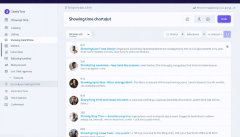
How to Set-up Showingtime listing management
Price:
$0.00
Description:
<p><br></p>To set up ShowingTime listing management, follow these steps:<br><br>1. Create a ShowingTime account if you don't have one already.<br>2. Log into your ShowingTime account.<br>3. Connect your Multiple Listing Service (MLS) account to ShowingTime by following the prompts provided.<br>4. Once connected, ensure your listings are imported correctly from your MLS.<br>5. Set up your showing preferences, including available times and any specific instructions for showing agents.<br>6. Customize notifications to receive alerts about new showings, feedback, or any changes.<br>7. Make sure to add any team members or assistants who will need access to the showing management system.<br>8. Review and confirm all settings to ensure they meet your needs.<br>9. Begin managing your listings and scheduling showings effectively through the platform.<br><br>Regularly check for updates or new features in ShowingTime to make the most out of the service.